Get your multi device strategy off the ground

As tech-savvy consumers, we’ve all contributed to the growth in online traffic coming from mobile and tablet platforms, and as publishers you've likely heard the importance of adapting a multi-device approach to cater for this growing trend. But exactly how important is it? How do you develop a multi-device strategy? And how does all of this equate to increased revenues for you? 

Over the coming weeks, we’ll run a series of posts that aim to answer exactly that. We’ll explore building mobile solution options to suit you, and also explain how you can use AdSense to monetize your mobile sites or AdMob.

Where are your users coming from?
We're living in a multi-screen world where users expect to have access to information, people, and computing power from any screen. Here are just a few findings from a recent survey*:
  • 81% of consumers use their smartphones while also watching TV
  • 66% use their smartphone at the same time as their laptop
  • 83% of mobile users said that they wouldn’t leave home without their smartphone
  • 63% of users said that while they may not make their final purchase through a mobile, they would definitely use their phone to gather info and help them with their purchasing decision. 
To see how these shifts in consumer behavior are relevant to your site, check the Platforms report in your AdSense account. It’s a good idea to pull a comparison report and track the growth in your percentage of mobile and tablet users over the past quarter or year. Chances are, you’re going to see a shift away from desktop with more of your online content being reached via tablet and mobile. If your site isn’t designed to cater for this growing market then now is the time to start building your multi-device strategy. And we’re here to make you aware of some of the options open to you! Join us next week when we’ll be covering a range of mobile solutions to help you discover the right one for your business.

If you’d like to learn more about what we’ve discussed today, you can also check out a recording of our recent Hangout, “Mobile - The Time is Now”.

*Study completed by Google in collaboration with Sterling Brands and Ipsos, on a sample of 1,600 users, (2012).

Posted by Federico Gomez Kodela - Mobile Specialist
Was this blog post useful? Share your feedback with us.

Best practices for succeeding with mobile

New Mobile Playbook offers blueprint for winning over the constantly connected consumer

Consumers continue to embrace smartphones and constant connectivity at breakneck speed. Over the past two years, smartphone penetration in the US nearly doubled from 31% to 56%1 while smartphones as a percentage of new handset sales have surged from 50% to 85%.2

As people continue to make their smartphones a central part of their everyday lives, marketers have increasingly woken up to this consumer reality, but many still struggle with how to focus their efforts. To address this, we released The Mobile Playbook last year to help marketers better understand how they can win with mobile. And just as the industry has changed over the last year, we know that the best practices and considerations for winning in mobile have evolved too, which is why we’re relaunching The Mobile Playbook today.
We’ve spoken to hundreds of marketers to understand what mobile areas they still struggle with, talked with leaders from around the industry, and searched high and low for the best examples of businesses that have succeeded in creating great mobile experiences.

The Mobile Playbook outlines five questions every business should address when it comes to developing successful mobile strategies:
  • How does mobile change our value proposition?
  • How does mobile impact our digital destinations?
  • Is our organization adapting to mobile?
  • How should our marketing and attribution adapt to mobile?
  • How can we connect with multi-screening audiences?
The second edition also dives deeper into areas of concern for today’s advertisers, like:
  • How to address the showrooming challenge head on.
    Industry veteran Michael Scharff shares strategies on how retailers can address showrooming, where mobile consumers use physical stores to check out products in person but end up buying them online or somewhere else. Scharff touches upon strategies such as selective price-matching and ideas on how to enhance the in-store experience for mobile consumers.
  • The age-old question of when to build a mobile website and when to build a mobile app.
    A mobile site is still the #1 priority. Advanced marketers are now taking a step further by tapping into the full potential of apps to deepen customer relationships and drive repeat sales or customer loyalty.
  • What it really means to build multi-screen marketing campaigns.
    84% of all multi-screen shopping experiences involve mobile, and most of these interactions start on a mobile device.3 Marketers now need to see mobile as the first screen when it comes to integrated, multi-screen campaigns. Brands like American Apparel and My M&Ms share how they made mobile core to their broader digital marketing efforts.
  • How marketers can really understand the full value of their mobile efforts across devices, calls and in stores.
    Marketers now are realizing that mobile doesn’t have a conversion problem, but a measurement problem. We’re seeing more examples of companies, like Myntra, adidas and Extra Space Storage, identify and measure all of the ways that mobile is driving value for their businesses and building new attribution models to make sure they’re investing correctly in mobile.
The new Mobile Playbook is now available from Google’s Think Insights site. We hope that the playbook will give marketers more tools and insights on how to succeed in mobile, especially as we enter the holiday shopping season. In the coming months, we’ll also post new articles on Google’s Think Insights, going deeper on mobile best practices and examples of companies who are leading the way.

Posted by Jason Spero, Director of Global Performance Solutions

1 Google & Ipsos Our Mobile Planet, 2011-2013
2 Mary Meeker Internet Trends Presentation 2013
3 Google & Ipsos Multi-screen Consumer Research, 2012

See the Full Picture of Your Users in Google Play with Google Analytics for Mobile Apps

We recently re-imagined in-app analytics from the ground up, speaking the language that matters to app developers and marketers. Since launch, the insights provided by Google Analytics for Mobile Apps are already helping hundreds of thousands of app developers and marketers create more successful Android and iOS apps and experiences by measuring metrics at all stages: acquisition, behavior and conversions. 

As a follow-up from this week’s Summit, today we’re excited to announce that the integration between Google Analytics and Google Play, previewed at I/O 2013, is now available to all users! This is especially exciting for app developers and marketers because it’s the first time - and only way - to get a holistic view of the Play acquisition funnel in one easy to understand report.


The data sources you’ll be able to see include:

Google Play traffic sources: discover how marketing campaigns and search are driving installs and new users. The Google Play Referral Flow will help you refine your app marketing mix in order to focus on those campaigns and programs which are working to bring the highest quality traffic. 

Views on Google Play: understand how your app is being viewed on Google Play as the result of campaigns and search. Your description, screenshots and other content are what’s going to drive new users to install.

Installs: installs shows the number of users for each referral who actually clicked the install link for your app on Google Play. Comparing installs to views for each referral shows you if your app description and screenshots are leading to conversions. Highlight through each source further up the funnel and determine which are successful at driving downloads. 

New users: beyond installs, new users shows you how many active users actually launch your application after it’s installed. This is a key metric to see even beyond installs, reported from the Google Analytics Services SDK. Tracing the path up the funnel shows you clearly which sources don’t just account for those installing your app, but which lead to passionate users who spend time with your app leading to in-app conversions

As these reports are using flow visualization, you can also select any path you wish to analyze further which will highlight that path and present useful data points along the funnel such as drop off rate. 

To start using the Google Play Referral Flow Report, you need to simply link your Google Analytics Property to your Android app in Google Play. Linking to your app takes only seconds. 

The collaboration between Google Analytics and Google Play doesn’t end there! By linking your Analytics property to your Android app, key Google Analytics engagement metrics from your default profile will now appear inside the Google Play Developer Console. This two-way integration gives you instant access to the in-store and in-app metrics of record in whichever Google product you use. Read more on the Android Developers Blog.

These powerful new features from Google Analytics and Google Play take mobile app analytics to the next level.   

Happy Analyzing!

Posted by Russell Ketchum, Lead Product Manager, Google Analytics for Mobile Apps

Data at your fingertips: A new version of the Google Analytics App for Android

At Google, we want to build tools that help you stay connected no matter where you are. Whether you’re in the boardroom, at a live event, or even during a day at the beach: having access to Analytics at your fingertips is important. That’s why we previously launched an Android app for Google Analytics that we’re excited has been downloaded more than 700,000 times to date.

We’ve been listening to your feedback and hear you loud and clear: the Google Analytics Android app should do more. So today we are pleased to announce the launch the latest version of the Google Analytics App for Android devices.

Visit Google Play to download and install the app to keep up with your data anytime, anywhere. Like what you see in the new version? Review it in Google Play!

We’ve added more reporting tools and enhanced the functionality of this version, so you have a first-class Google Analytics experience on every device. What’s new, specifically?
  • A completely redesigned look and feel, ideal for tablets and phones
  • New visualizations that automatically resize to fit your screen size and orientation 
  • Side navigation that mirrors Google Analytics on the web for quick access to reports
  • Specialized reporting for web and app views (profiles)
  • An Overview screen summarizing key metrics from each report 
  • Deeper analysis via dimension-based drill down in most reports
  • Better Real-Time reporting
  • Advanced Segments to further analyze your data
See an overview of your important metrics on one screen

Bringing the robust features of GA on the web to your fingertips

With the Google Analytics App, you can access all of your data - for both web and app reporting views (profiles) - so you can keep track of all of your important data with reports that are optimized for whatever device you’re using, ensuring a beautiful and intuitive experience. 

We’re also introducing new visualizations designed with tablets and phones in mind. Rather than getting overwhelmed with too much information on a small screen, you now see just the most relevant metrics on cards, so you decide when you want to drill-down for details or just get a quick update on your performance. 


We built our app using Google Tag Manager for Mobile Apps. As a result, it’s highly configurable and we can add new reports, change navigation, update visualizations all without having to update the app.  We’ve made several improvements to the app based on your feedback and have more planned, so please keep it coming. Learn more about how you can make your own apps highly configurable with GTM.

Posted by Russell Ketchum, Lead Product Manager, Google Analytics for Mobile Apps

New research shows that 70% of mobile searchers call a business directly from search results

E-commerce continues to grow quickly with people shopping across a variety of devices, but often times there is no comparison to talking with a live person. Phone calls are still an important channel for research and purchasing, with 70% of mobile searchers reporting they click to call directly from the search results to connect with a business. In fact, Google ads drive over 40 million calls each month. As a critical component of today’s digital path to purchase, it’s important for businesses to understand how, when, and why consumers use click to call features.

Click image to enlarge

Working with Ipsos Research, we surveyed 3,000 mobile searchers who had recently made purchases across different industries to understand the role that click to call - from paid or organic search results - played in the purchase process. We found that calls are not only an important channel for research and transaction, but also the presence of a phone number in search results can strongly influence the perception of a business’s brand.

Click to call is important to consumers across all verticals.

Across all seven of the verticals we researched (Travel, Restaurant, Auto, Local Services, Retail, Finance, Technology) click to call was an important feature for people looking to find information and make purchases.

  • 62% of consumers searching for auto parts and services would be very likely to use click to call, and 57% would use click to call to compare pricing.
  • 60% of those searching for car rental information on their phone would use click to call, and 44% would call to make a reservation.
  • Within local services, 76% would use call features to schedule an appointment for professional services.
  • 61% of people searching for financial services on their smartphones are likely to use click to call to make changes to their bank accounts. 

Consumers rely on calls for research and transacting.

We broke down the purchase process into its component phases - Inspiration, Research, Purchase, and Post Purchase Experience – to see when consumers are most likely to call a business. We found that calling is most important during the research and purchase phases, where 52% and 61% of mobile searchers respectively say it’s important to have the ability to call. This means that a large number of calls happen when someone is ready to buy or helps a consumer move closer in purchase consideration.

Calls originating from the search results page are valuable for businesses. 

88% of mobile searchers indicated that the length of the call is important to them, so we took a look at our our own internal data and found that almost 3 out 4 calls resulting from mobile search ads lasted longer than 30 seconds, and that calls from ads lasted on average six minutes. This suggests that the majority of calls generated by mobile search ads are not quick informational calls, but instead are more substantive research or transactional calls.

Adding click to call can also boost the effectiveness of your ad, whether it's because users feel more confident in your business or because of the larger ad size due to the call button. On average, AdWords advertisers that implement click to call see an increase of 8% in the click through rates of their ads.

The call button influences brand perception.

The ability to call a business directly from the search results not only helps to drive purchase, but is also an important factor in brand perception. Nearly half of mobile searchers, indicated that the lack of a call option would lead them to be both frustrated with the business and more likely to turn to another brand. Additionally, 33% said that they would be less likely to refer the brand to others and would be less likely to use the brand in the future.

IMPLICATIONS

It’s clear from our findings that driving phone calls should still be a priority for businesses in every industry. Businesses can easily help mobile searchers get in touch by attaching call extensions to their mobile search ads. While the presence of the call button in organic results depends on a number of factors, you can schedule your mobile search ads and call extensions to show only at relevant times or only in specific searches. Advertisers can also view call specific reporting metrics from their call extensions to identify areas to further optimize performance.

Additionally, businesses should measure and assign value to the calls driven by their advertising. With AdWords, businesses can now measure calls as conversions, allowing them to assign value to calls that their ads drive.

To explore more of the findings from our calls research visit the Think with Google site or click here to learn how to get started with call extensions now.

Posted by Adam Grunewald, Mobile Marketing Manager


Capturing the mobile opportunity - being present and bidding well

This year, for the first time, the majority of people in the US own a smartphone.1  This means that more people than ever are constantly connected, using their phones throughout the day to search for information, shop, or stay entertained.  As a result, we are seeing growth in mobile searches across many verticals.  For example, year on year, we have seen mobile searches grow by 117% for entertainment, 91% for auto and 90% for finance. And for seasonal terms like “back to school,” we saw a 96% year on year increase.

As mobile continues to grow, it's more important than ever for every business to understand how to engage their customers on mobile. For advertisers who are just getting started, make sure you are showing up when potential customers are searching for keywords related to your business.  Opt into mobile and set a mobile bid adjustment that meets your business goals.  By using mobile bid adjustments, you can influence your ad position, clicks and cost on mobile devices.  For a bit of perspective, here are a few of examples of how advertisers have set their mobile bids as a percentage of desktop within the last several months (actual CPCs may vary):

  • On average, advertisers in the Japan finance sector set mobile bids to 117% of desktop.
  • On average, advertisers in the US dining and entertainment sector set mobile bids to 90% of desktop.
  • On average, advertisers in the Canadian auto sector set mobile bids to 87% of desktop.

An example of a marketer who has recognized the importance of mobile and created a clear strategy is My M&M’s.  In this video, the My M&M’s team notes that mobile is often the entry point for their customers.  Even though the final conversion may happen in the store or on another device, it’s been important for My M&Ms to make sure they are on mobile to capture these leads.  After optimizing their search and display campaigns, MyM&M’s reported a 15% increase in overall ROI.

For best practices on how to set your mobile bid adjustment, we encourage you to review our bidding best practices whitepaper which includes a chapter dedicated to mobile bids.  You can also use the full value of mobile calculator to estimate the overall value that mobile drives for your business.  People are using mobile for many kinds of activities across all business types.  Mobile is where your customers are, whether you are a restaurant owner, retailer or financial institution.  Therefore, it’s more important than ever before to make sure that your message is where people are looking.

Posted by Andy Miller, Head of Global Mobile Search Solutions

1 PEW Research Center, May 2013.  http://pewinternet.org/Reports/2013/Smartphone-Ownership-2013/Findings.aspx

Introducing Google Tag Manager for Mobile Apps & New Google Analytics Services SDK

Mobile Apps pose a unique set of challenges for marketers and developers. On the web, you can iterate on content and features in near-real-time and deploy conversion tracking, Remarketing, analytics and other tags to measure the effects on your users. Apps, on the other hand, are effectively frozen at the point of user install. Making even the slightest change means waiting until your next update makes its way through the various app stores and even then, you can’t be sure that all of your users will update quickly, if at all.

The surprisingly static nature of Mobile Apps creates significant problems. Forget to add an event to a key button press? Tough! Need to add conversion tracking for a last minute campaign? Too bad! Realize you need to change an important configuration setting? Sorry, not possible... that is, until now! Previewed at Google I/O earlier this year, today we're launching Google Tag Manager for Mobile Apps.


With Google Tag Manager for Mobile Apps, you instrument your app once and from then on, you can change configurations and add analytics, remarketing and conversion tracking later – without updating your app. 

Just like on the web, Google Tag Manager continues to be a free product, streamlining the process of adding “tags” to your native iOS and Android apps, making it both easy and accountable. Measuring key events is now as simple as 1-2-3:
  1. Include the new Google Analytics Services SDK (Android, iOS) in your app. This new unified SDK includes both Google Tag Manager and Google Analytics functionality while sharing a common framework.
  2. Push interesting and important events to the Data Layer. Once events are registered on the data layer, they can be used to trigger Google Tag Manager Tags and Macros. 
  3. Use Google Tag Manager’s web-based interface to write Rules and determine when various Tags should fire.

If you’re already a Google Tag Manager user, then there’s really nothing new for you to learn. The same style Tag Templates, Rules and Macros that you already know are now available for the new Mobile App Container Type. New users can get up to speed quickly, thanks to the easy-to-use web-based interface.  

Google Tag Manager for Mobile Apps natively supports AdWords Conversion Tracking, AdWords Remarketing and Google Analytics for Mobile Apps (Universal Analytics) tags. It also supports custom and 3rd party tracking events using the custom tag. For Mobile Apps, Google Tag Manager also takes things one step further using the Value Collection Macro. As we previewed at I/O 2013, developers can now create server-side configurations and use them to build highly configurable Apps. Collectively, these new features make Google Tag Manager a powerful tool for marketers and App Developers alike.  

Sign-up for your free Google Tag Manager account now and learn more about Mobile App tagging.  

Posted by Russell Ketchum, Product Manager, Google Analytics & Google Tag Manager

Making smartphone sites load fast

Webmaster level: Intermediate

Users tell us they use smartphones to search online because it’s quick and convenient, but today’s average mobile page typically takes more than 7 seconds to load. Wouldn’t it be great if mobile pages loaded in under one second? Today we’re announcing new guidelines and an updated PageSpeed Insights tool to help webmasters optimize their mobile pages for best rendering performance.

Prioritizing above-the-fold content

Research shows that users’ flow is interrupted if pages take longer than one second to load. To deliver the best experience and keep the visitor engaged, our guidelines focus on rendering some content, known as the above-the-fold content, to users in one second (or less!) while the rest of the page continues to load and render in the background. The above-the-fold HTML, CSS, and JS is known as the critical rendering path.

We can achieve sub-second rendering of the above-the-fold content on mobile networks by applying the following best practices:
  • Server must render the response (< 200 ms)
  • Number of redirects should be minimized
  • Number of roundtrips to first render should be minimized
  • Avoid external blocking JavaScript and CSS in above-the-fold content
  • Reserve time for browser layout and rendering (200 ms)
  • Optimize JavaScript execution and rendering time
These are explained in more details in the mobile-specific help pages, and, when you’re ready, you can test your pages and the improvements you make using the PageSpeed Insights
tool.

As always, if you have any questions or feedback, please post in our discussion group.


The Mobile Buyer and Seller Relationship

The mobile advertising industry continues to evolve at a rapid pace - as new technologies have created new ways for publishers to grow and engage with their audience, new ways for advertisers to reach their customers have also emerged. With new opportunities aplenty for both buyers and sellers, how have they engaged with each other to shape the mobile ads ecosystem?

Based on aggregate data from across our network, we took a look at the economics behind the mobile ads ecosystem in a study: The Mobile Buyer & Seller Relationship. The study looks at mobile advertising from both a buyer and seller perspective, focusing on the types of content that are driving the most mobile web and app traffic, where advertisers are focusing their budgets, and the intersection of the two.

Here are a few highlights from the research:
  • Mobile application inventory is highly concentrated: On mobile applications, ad impressions and spend are highly concentrated around games, which account for 46% of total ad spend.
  • Advertisers are embracing mobile applications: We're seeing all types of advertisers embrace advertising on mobile applications, with Media & Entertainment and Technology advertisers leading the way. These types of advertisers account for nearly half of all impressions and spend on mobile applications.
  • Advertiser spending on mobile web is closely tied to relevant content: Unlike mobile applications, on mobile web, advertisers are predominantly focusing their spend on ad inventory that closely relates to their products or services.
  • Spending on mobile web is evenly distributed amongst advertisers: The top five spending advertiser categories on mobile web accounted for 12-16% of total web impressions each.
Check out all of the findings by downloading the full report here.

Posted by Stephen Kliff - Product Marketing Manager
Was this blog post useful? Share your feedback with us.

Stepping into the future together

Our two most important goals for AdWords are to make ads more relevant and useful for users, and more effective and simple to manage for advertisers. That's why I was so excited to announce enhanced campaigns this past February. With enhanced campaigns, we're making it easier to reach people in the moments that matter with ads that are more relevant to their intent and context.

We’ve written a lot about enhanced campaigns in the past four months.  In addition to our help center articles and dedicated website, you can see lots of best practices, customer stories, webinar recordings and details about new features in the “enhanced campaigns” label on our blog.

Since we introduced enhanced campaigns, advertisers have upgraded over 6 million legacy campaigns, representing almost 75% of active campaigns. And starting today, we will begin upgrading all remaining campaigns automatically, bringing everyone onto the new AdWords platform. As with many product launches, the rollout will be gradually completed over several weeks.

Results with enhanced campaigns
Many advertisers who've upgraded and optimized their enhanced campaigns have already reported positive results and time savings. Here are a few recent examples:
  • Pizza Hut reported that mobile ROI increased by 20% since upgrading to enhanced campaigns. They've also found that mobile CTR has increased by more than 60% while their cost per order on smartphones has dropped by 17%.
  • Autobytel, a site for car buyers and owners, grew conversions by 10% at the same CPA after upgrading and optimizing their enhanced campaigns. They now manage 30% fewer campaigns, leaving the marketing team with more time to focus on optimizing the user experience. “We are getting the right conversions at the right price, while marketing efforts are more focused on user experience rather than managing the account,” said Billy Ferriolo, Senior Vice President, Consumer Acquisition and Product Development. (download .pdf)
  • Miller's Bakery, a thriving family-run business in New Jersey, generated more custom cake orders using features like location and mobile bid adjustments, upgraded sitelinks, and upgraded call extensions. After upgrading, the bakery’s in-store visits increased by 10-20%, business during peak hours nearly doubled, and web clicks from nearby cities climbed 20-35%. “Our customers interact with our business using multiple screens,” said owner Dwight Miller. "If we didn’t advertise on both desktop and mobile, we’d miss out on a lot of customer touch points.” (download .pdf
Tips for success after upgrading
All AdWords campaigns benefit from good set-up and regular optimization. So whether you upgraded your campaigns yourself or let it happen automatically, we encourage you to review and optimize all newly transitioned enhanced campaigns. Here are a few tips (details are in this Help Center article):
  1. Review your mobile bid adjustments. For most campaign types, the auto-upgrade default is based on bids from similar advertisers. Visit the campaign ‘Settings’ tab to optimize for your business
  2. Identify unwanted keyword duplication in overlapping campaigns. If you previously had similar legacy campaigns for each device type, we suggest identifying matching campaigns and eliminating unwanted duplicate keywords in your enhanced campaigns.
  3. Review Display Network campaigns. Verify that your display ads are reaching users on desired devices and that you're using your desired bidding strategies.
  4. Start taking advantage of the powerful enhanced campaign features. We recommend trying out upgraded sitelinks and upgraded call extensions to start. Then you can further boost results by creating mobile preferred ads and setting bid adjustments for location and time.
You can visit our enhanced campaigns website for more success stories and best practices, including a guide on how to bid like a pro with enhanced campaigns. And please contact us if you have questions or need help.

Stepping into the future together
Consumers will continue to have access to more screens and be able to switch between them as they shop, play and communicate. Enhanced campaigns are an important step towards helping advertisers connect with consumers more simply and smartly in this multi-screen world. We've been inspired by advertisers and partners around the world who are already embracing this new opportunity. Thank you for joining us on the journey and stepping into the future together.

Posted by Sridhar Ramaswamy, Senior Vice President, Ads and Commerce

How NRI Netcom uses Analytics to measure user engagement of responsive web design

The following was originally posted to the Analytics Japan blog.

Google recommends responsive web design as a way of optimizing for smartphones and tablets. Responsive web design is a method of identifying the device based on the screen size and adjusting the design using CSS, while sharing one block of HTML across all devices. The concept has also been discussed on the Webmaster Central Blog so head over there for more details.

This post will look at an example of using Google Analytics on a site enabled for responsive web design.

The case involves a Google Analytics Certified Partner (GACP), NRI Netcom, working on an overseas payment service website for their customer, Seven Bank. NRI Netcom installed Google Analytics for post-optimization data analysis to support Seven Bank's web publishing and marketing. The implementation enabled pages to be served to desktop PCs, smartphones and tablets using responsive web design, all from a single URL.


They used page-level custom variables in Google Analytics to enable NRI Netcom to access reports on each type of page sent out.

For example, page-level custom variables can be set up as follows to identify which CSS version is being displayed: PC, smartphone or tablet.

PC = 960 px or more  
_gaq.push(['_setCustomVar', 1, 'PageVariation', 'fullsize', 3]);

Smartphone = 520 px or less
_gaq.push(['_setCustomVar', 1, 'PageVariation', 'mobile', 3]);

Tablet = 520 px to 960 px 
_gaq.push(['_setCustomVar', 1, 'PageVariation', 'tablet', 3]);

This enables metrics for each screen type to be compared at a glance, as shown below, using Google Analytics Reporting. (The figures on the report are not the actual figures.)


The actual setup was a little more complex. The three screen types (smartphone, tablet and PC) were added, and the display height and width selected for each user tracked. Then, Seven Bank deployed its website in ten languages, as this was to be an overseas payment service.

It was configured to handle three different types of devices, different screen heights and widths, and different languages, as well as to provide instant verification on the Google Analytics Reporting screen.

Several pieces of useful information began to emerge from the Google Analytics data. Firstly, as a result of optimizing for smartphones, there was a clear improvement in engagement and conversions amongst mobile users. Differences between tablet and smartphones were also observed. Engagement metrics such as average time on page and average page views differed widely. Metrics were also found to be clearly different depending on whether the same smartphone/tablet was held horizontally or vertically.

A number of other effects were seen which weren't particularly relevant to conversions. A clearer picture of referral paths for mobiles and their effect on conversions aided understanding of the efficacy of incoming traffic. Whereas organic search won out on pure referral numbers, the number of conversions from users clicking the Seven Bank inquiries link on smartphones to make a call (measured using event tracking) was clearly better at referrals routed through AdWords.

Interesting results were also seen for different languages. It was obvious, for example, that conversions on mobiles were much higher for specific languages.

All of this is actionable data which will continue to help Seven Bank develop marketing strategies and further optimize their mobile site  — read the full case study here (in Japanese).

Posted by Noriyuki Ouchi, Google Analytics Solution Consultant

New research shows that 88% of ad clicks from mobile search are incremental to organic clicks

This year, for the first time, the majority of people in the US (56%1) own a smartphone.  In this constantly connected world, people use mobile search throughout the day to find information, shop, and stay connected.  Businesses, therefore, are making mobile a central part of their business and marketing strategy: from building better websites across screens to optimizing mobile ads.  When speaking with advertisers we often hear questions like “What would happen to my organic clicks if my mobile search ads were paused?” They want to know how much of a role their ads play in driving people to their website.

In 2011, we ran the “Search Ads Pause Studies,” and learned that an average of 89% of clicks on search ads are incremental - meaning that this traffic is not replaced by organic clicks when ads are paused, and therefore is missed.

This year, we carried out the same studies on mobile search and learned that 88% of site visitors driven by mobile search ads would not otherwise click on the business’s organic listing when ads are paused. From March 2012 - April 2013, we conducted Mobile Search Ads Pause studies on more than 300 US AdWords accounts from 12 key verticals. The research focused on search terms that had an organic listing on the first page and adjusted for factors like seasonality. Similar to our previous study of search ads across all devices, we found that an average of 88% of clicks generated by mobile ads were incremental.

Results were consistently high across all verticals: 97% of mobile ads clicks are incremental for classified and local advertisers, 86% for retail advertisers, and 90% for technology brands, just to name a few.  Today consumers use mobile search to connect with businesses across a wide variety of industries and trust both organic and paid results to help accomplish their goals. The infographic below shows the percentages across all 12 verticals.


Mobile ads can help consumers connect with all types of businesses. This study continues to show the importance of advertising on mobile whether you are a restaurant owner, a sporting goods retailer or automobile brand.  People are searching all the time, across devices.  Therefore, it’s more important than ever before to make sure that your message is where people are looking. AdWords enhanced campaigns makes this easy for advertisers.  By upgrading to enhanced campaigns, advertisers can effectively reach consumers using mobile devices based on contextual signals like their location and time of day.

Posted by Andy Miller, Head of Global Mobile Search Solutions

1Our Mobile Planet 2013

A new Google Maps app for smartphones and tablets

Today we’re introducing a new Google Maps app for Android smartphones and tablets, also coming soon to iPhone and iPad. It’s a new mapping experience that makes exploring the world and getting to the places that matter to you a lot faster and easier. The app is gradually rolling out globally in Google Play and will be available soon in the App Store.

The new Google Maps for mobile builds on the design we released for iPhone last December and improves on it with a few useful search and navigation features. And it's the first dedicated app for Android tablets and iPads. We’re also retiring Latitude and are making some changes to offline and My Maps which we’ll explain in more detail below.

First, here are a few highlights that make this release stand out:

Explore: Explore is a fast and easy way to visually browse and discover new places without even typing. Simply tap the search box and you’ll see cards showing great places to eat, drink, sleep and shop.
Enhanced navigation: In addition to current traffic conditions, we’ve added two new features to help you navigate around traffic. You can now see reports of problems on the road that you can tap to see incident details. While on the road, Google Maps will also alert you if a better route becomes available and reroute you to your destination faster. This feature is available only on Android and is coming soon to iOS.
Designed for tablets: A dedicated tablet design brings all the features of this new app to Android tablets and iPads, which makes exploring the world from the comfort of your living room much more fluid, smooth and fun.
Reviews, Zagat and Offers: There’s a new 5.0 star rating system that gives you a quick read on how your friends and others rate places like restaurants, bars and cafes. For an expert’s opinion, the Zagat badge of excellence and curated lists are integrated into search results so you can quickly spot the very best places. From “Best Restaurants to meet for a drink in NYC” to “Best Restaurants in the Mission” in San Francisco, Zagat’s there to help you uncover the local gems.
And finally, Google Maps for mobile is a great way to discover valuable Offers from national brands like Macy's, Michael's and Toys "R" Us, labeled right on the map. All these features can make it a lot easier to navigate the world, no matter what adventure comes your way.

One important change you should know about is that Latitude and check-ins will be retired. These features will no longer be a part of the new Google Maps app, and will stop functioning in older versions by August 9. We understand some of you still want to see your friends and family on a map, which is why we've added location sharing and check-ins to Google+ for Android (coming soon to iOS). More details about Latitude and check-in changes can be found in our help center.

The offline maps feature for Android is also no longer available. Instead we’ve created a new way for you to access maps offline by simply entering “OK Maps” into the search box when viewing the area you want for later. Finally, My Maps functionality is not supported in this release but will return to future versions of the app. People who want to create powerful custom maps can still do so with Maps Engine Lite on desktop.

Helping you find great places is what we love to do. And as more of us use mobile phones and tablets in our daily lives, information that’s useful to you isn't just about what you need, but also where you might find it. Today’s update is an exciting step forward for Google’s maps—one that we hope will make it faster and easier for you to explore and discover places you want to go.

Update July 16: The new Google Maps app for iPhone and iPad is now live. Visit the App Store today to download it.


*The new Google Maps for mobile is compatible with Ice Cream Sandwich and Jelly Bean Android devices and iOS 6+ when available. Please note some of the features mentioned in this post aren’t available in all countries.

Introducing the Google Databoard: A new way to explore research

It’s important for businesses to stay up to date about the most recent research and insights related to their industry. Unfortunately -- with so many new studies and with data being updated so often -- it can difficult to keep up. To make life a bit easier, we created the Databoard for Research Insights, which allows people to explore and interact with some of Google’s recent research in a unique and immersive way.


The Databoard is our response to three big challenges facing the vast majority of research released today.
  1. Ease of consumption: The databoard introduces a new way of sharing data, with all of the information presented in a simple and beautiful way. Users can explore an entire study or jump straight to the topics or datapoints that they care about. The Databoard is also optimized for all devices so you can comfortably explore the research on your computer, tablet, or smartphone.
  2. Shareability: Most people, when they find a compelling piece of data, want to share it! Whether its with a colleague, client, or a community on a blog or social network, compelling insights and data are meant to be shared. The databoard is designed for shareability, allowing users to share individual charts and insights or collections of data with anyone through email or social networks.
  3. A cohesive story: Most research studies set out to answer a specific question, like how people use their smartphones in store, or how a specific type of consumer shops. This means that businesses need to look across multiple pieces of research to craft a comprehensive business or marketing strategy. To address this need, the Databoard allows users to curate a customized infographic out of the charts or data points you find important across multiple Google research studies. Creating an infographic is quick and easy, and you can share the finished product with your friends or colleagues.
The databoard is currently home to four research studies including The New Multi-screen World, Mobile In-store shopper research, Mobile search moments, and more. New studies will be added frequently so be sure to check back often. To get started exploring the Databoard and creating your own infographic visit google.com/think/databoard.

Posted by Adam Grunewald, Mobile Marketing Manager

Changes in rankings of smartphone results

As the number of smartphone users continues to surge globally, many of you are responding quickly with mobile-friendly sites. Regardless of the device a user views your site on, their experience should be rich and consistent. With this in mind, the Google Webmaster Team is making some changes to the way they rank search results on smartphones. In particular, these changes will address sites that are misconfigured for smartphone users. Read the original post and learn more about common configuration mistakes as well as recommendations from the Webmaster Team on building your mobile-optimized website.

Posted by Suzanne Headon - Inside AdSense team
Was this blog post useful? Share your feedback with us.

Changes in rankings of smartphone search results

Webmaster level: Intermediate

Smartphone users are a significant and fast growing segment of Internet users, and at Google we want them to experience the full richness of the web. As part of our efforts to improve the mobile web, we published our recommendations and the most common configuration mistakes.

Avoiding these mistakes helps your smartphone users engage with your site fully and helps searchers find what they're looking for faster. To improve the search experience for smartphone users and address their pain points, we plan to roll out several ranking changes in the near future that address sites that are misconfigured for smartphone users.

Let's now look at two of the most common mistakes and how to fix them.

Faulty redirects

Some websites use separate URLs to serve desktop and smartphone users. A faulty redirect is when a desktop page redirects smartphone users to an irrelevant page on the smartphone-optimized website. A typical example is when all pages on the desktop site redirect smartphone users to the homepage of the smartphone-optimized site. For example, in the figure below, the redirects shown as red arrows are considered faulty:

This kind of redirect disrupts a user's workflow and may lead them to stop using the site and go elsewhere. Even if the user doesn't abandon the site, irrelevant redirects add more work for them to handle, which is particularly troublesome when they're on slow mobile networks. These faulty redirects frustrate users whether they're looking for a webpage, video, or something else, and our ranking changes will affect many types of searches.

Avoiding irrelevant redirects is very easy: Simply redirect smartphone users from a desktop page to its equivalent smartphone-optimized page. If the content doesn't exist in a smartphone-friendly format, showing the desktop content is better than redirecting to an irrelevant page.

We have more tips about redirects, and be sure to read our recommendations for having separate URLs for desktop and smartphone users.

Smartphone-only errors

Some sites serve content to desktop users accessing a URL but show an error page to smartphone users. There are many scenarios where smartphone-only errors are seen. Some common ones are:

  • If you recognize a user is visiting a desktop page from a mobile device and you have an equivalent smartphone-friendly page at a different URL, redirect them to that URL instead of serving a 404 or a soft 404 page.

  • Make sure that the smartphone-friendly page itself is not an error page. If your content is not available in a smartphone-friendly format, serve the desktop page instead. Showing the content the user was looking for is a much better experience than showing an error page.

  • Incorrectly handling Googlebot-Mobile. A typical mistake is when Googlebot-Mobile for smartphones is incorrectly redirected to the website optimized for feature phones which, in turn, redirects Googlebot-Mobile for smartphones back to desktop site. This results in infinite redirect loop, which we recognize as error.

    Avoiding this mistake is easy: All Googlebot-Mobile user-agents identify themselves as specific mobile devices, and you should treat these Googlebot user-agents exactly like you would treat these devices. For example, Googlebot-Mobile for smartphones currently identifies itself as an iPhone and you should serve it the same response an iPhone user would get.

  • Unplayable videos on smartphone devices. Many websites embed videos in a way that works well on desktops but is unplayable on smartphone devices. For example, if content requires Adobe Flash, it won't be playable on an iPhone or on Android versions 4.1 and higher.

Although we covered only two types of mistakes here, it's important for webmasters to focus on avoiding all of the common smartphone website misconfigurations. Try to test your site on as many different mobile devices and operating systems, or their emulators, as possible, including testing the videos included on your site. Doing so will improve the mobile web, make your users happy, and allow searchers to experience your content fully.

As always, please ask in our forums if you have any questions.

Webinar on Wed, 6/12: Metrics for the Mobile App Ecosystem

As users discover, download, and use your apps, understanding your customers and what they're doing is incredibly important and has a direct impact on monetization. Leveraging smart analytics and analyzing key metrics can drive future monetization and new app discovery efforts, empowering you to become a smarter and more effective app developer or marketer. In short, your ability to drive maximum value from your app only starts after the download. 


Sign up for our upcoming Webinar and join Google Analytics team members Andrew Wales and Adam Singer as they explore the key metrics to measure for the mobile app ecosystem, as well as learn about the benefits of using Google Analytics for mobile app measurement, such as:

A more powerful mobile SDK
We are providing a new mobile app analytics solution, solving the problem that there is currently no single repository to understand end-to-end value of mobile app users. This is supported by a more powerful mobile SDK (v2.0) that is easy to implement.

“One stop shop” for app measurement
Understanding app performance holistically through acquisition, engagement and outcome is critical to improve mobile app results, optimize user engagement and increase revenue generated. Our new reports show the entire lifecycle and in our Webinar, we’ll explore each section.

Improve ROI and engagement
App developers and brands can make better, more comprehensive data-driven decisions for mobile investments with better reports. For example, marketers can optimize their mobile programs to improve ROI and app developers can improve in-app engagement.

Webinar information:
Title: Metrics for the Mobile App Ecosystem
Date: Wednesday, 6/12/2013 @ 1:00pm EST / 10am PST
Level: 101 - Beginner
Duration: 1 hour
Sign up link: Register here.

Posted by the Google Analytics team

Bidding Best Practices (Part 3) - Calculating mobile bid adjustments

Today’s post about calculating mobile bid adjustments is the third in a bidding best practices series. The previous post covered improving your results with location bid adjustments.

People are now constantly connected and switching seamlessly between devices. In fact, more than 38% of our daily media interactions occur on mobile1. This presents advertisers with new opportunities to reach customers anytime, anyplace, on any device. At Google, we want to help you capitalize on these opportunities and develop new strategies for your business to win on mobile.

Mobile bid adjustments in AdWords enhanced campaigns give advertisers the power to optimize bids across devices — all from a single campaign. In today’s post, we’ll help you understand how to calculate a mobile bid adjustment that accounts for the total conversion value your mobile ads drive for your business.

Review your current desktop and mobile performance
Before calculating your mobile bid adjustment, you can run an AdWords report to review your current desktop and mobile performance. While online conversions, app downloads, and calls are easy to track in AdWords, other conversions such as in-store visits may be harder to attribute directly to your ads. For those conversions, you may need to estimate their value. The closer you can estimate the value of these conversions, the more optimized your bid will be on mobile.

Calculate your mobile bid adjustment
The key to optimizing your mobile bid adjustment is to identify the ratio of mobile vs desktop (and tablet) conversion value. This is calculated by dividing your value per click on mobile by your value per click on desktop.


We’ll illustrate this calculation using the table below. Let’s say this data belongs to a national retailer with mobile and desktop websites as well as physical stores. In the past month, this retailer saw 10,000 clicks from her mobile ads and 10,000 clicks from her desktop and tablet ads.  Her mobile ads drove $900 of revenue from phone calls to her stores, $5,000 from online sales and $5,000 from in-store visits for a total of $10,900. During this same month, her desktop and tablet ads drove $100 of revenue from calls, $10,000 from online sales, and $2,000 from in-store visits for a total of $12,100.


With this information, the retailer calculates the value per click (for mobile and desktop) by dividing the total value (i.e., the total revenue from all conversion types) by the total number of clicks, respectively. In this case, the mobile value per click is $1.09 and the desktop value per click is $1.21.

The retailer’s mobile bid adjustment is the ratio of these two values: she divides the value per click on mobile by the value per click on desktop and then subtracts 1. In this case we have (1.09/1.21) - 1, or a -10% mobile bid adjustment that can be entered into AdWords.

Iterate and test
As with all online marketing techniques, mobile bid adjustments aren’t something you should just “set and forget.” Frequent iteration and testing will help you account for changes in seasonality or business operations.  Due to varying screen sizes on mobile, we also recommend that you keep a close eye on your mobile impression share so that your ads show in the top positions.

Learn more
To learn more about mobile bid adjustments, visit the AdWords Help Center or watch this recording of this hangout on air, “Enhanced Campaigns: Optimizing Mobile Strategy.

To use mobile bid adjustments, you’ll need to upgrade your campaigns to enhanced campaigns. Starting on July 22, 2013, we will begin automatically upgrading all campaigns.

Next week, we’ll dive deeper into ways you can use tools like conversion optimizer and eCPC to automate your bid settings based on specific business goals like ROI.

Posted by Andy Miller, Head of Mobile Search Solutions

1http://www.google.com/think/research-studies/the-new-multi-screen-world-study.html

The Future of Measurement Starts at I/O: What’s New and on the Horizon for Analytics

Last year at I/O we launched Mobile App Analytics, a re-imagining of app analytics from the ground up, speaking the language that matters to app developers and marketers. Since launch, the insights provided are already helping hundreds of thousands of app developers and marketers create more successful Android and iOS apps and experiences by measuring metrics at all stages: acquisition, engagement and outcomes like in-app purchases. 

This year at I/O, our team continues to improve mobile analysis with two announcements: Mobile App Analytics Play Integration and Google Tag Manager for Mobile Apps. These updates, to be available for all users shortly (with links below to help you get on early whitelists) will let you better measure a mobile world and use your data in more ways to improve the customer experience. 

Better understand the total picture of your app users with Google Play Integration

We’re excited to announce a long-anticipated integration of Mobile App Analytics more deeply with Google Play. It’s especially exciting for app developers and marketers because it’s the first time we’re presenting a complete view of the Play acquisition funnel in one clear, easy to understand report.

The data sources you’ll be able to see include:

Google Play traffic sources: understand which traffic sources and Google search keywords account for most new users. Campaign sources will help you refine your app marketing mix in order to focus on those campaigns and programs that bring the highest quality traffic. 

Google Play views: at the very top of the app funnel, you’ll want to understand clearly how many views your app is receiving in Google Play from each campaign or source. 

Installs: installs simply shows the number of users who actually installed your application from Google Play. It’s useful here to determine which sources are successful at driving installation. 

New users: beyond installs, new users shows you how many users actually launch your application. This is a key metric to see even beyond installations and tracing the path up the funnel.

As this report is using flow visualization, you can also select any path you wish to analyze further which will highlight that path and present useful data points along the funnel such as drop off rate.

Google Tag Manager for Mobile Apps

Ever want to make a small tweak to your mobile application but your users have already downloaded your app? Ever forget to add analytics to a key event until it’s too late? Shipping your app usually means you have one chance to get it right, and that’s not the best way to build a business.


With Google Tag Manager for Mobile Apps launching in beta, you can dynamically configure your mobile applications on Android and iOS server-side. You can hone your app for various audiences, and you’ll never get caught by old versions or forgetfulness again.

Google Tag Manager for Mobile Apps uses Google Tag Manager’s sophisticated rule-based serving engine  and easy-to-use management interface to make it a snap for developers to make changes to their applications, even after an app has been downloaded by users. Now changing the configuration of your application or rolling out a new feature is as easy as going to the Google Tag Manager web interface, changing a couple of values, and then pressing a Publish button. Changes go live in seconds.

You can configure virtually anything in your application: from ad values such as frequency and duration and UI settings like colors and layout, to time-based events such as in-app promotions and special events. Sign up for the whitelist to be among the first to try out GTM for Mobile (you’ll need to first visit the Google Tag Manager site and create an account if you haven’t already).

We’re excited to continue to push the envelope with what analytics can do across devices and platforms and cater to developers with tools they want.

Posted by the Google Analytics Team  

Meet the Mobile Champs: Introducing a new series of video interviews with mobile thought leaders

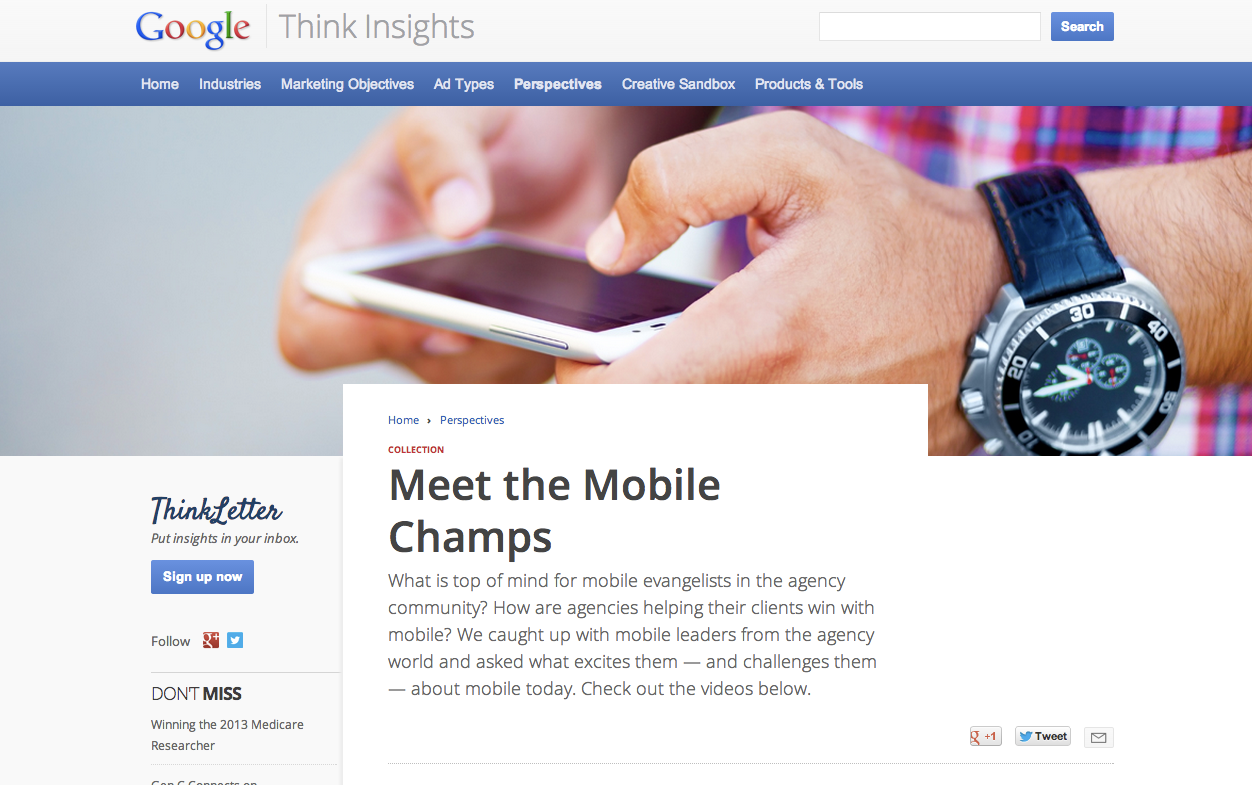
What is top of mind for mobile leaders in the agency community?  How are agencies helping their clients win with mobile?  In an effort to better understand the challenges that agencies face when it comes to mobile, and to strengthen our efforts to help them tackle and overcome these challenges, we decided to bring together a group of mobile evangelists from the agency world.  At a recent event in New York City, we asked a few of these mobile leaders what excites them - and what challenges them - about mobile today.  Today, we are excited to share these interviews with you on Think Insights, Google’s hub for marketing insights and inspiration for advertisers and agencies. 


One of the topics that we found to be top of mind for everyone is the challenge of mobile measurement in a multi-screen world.  "We need to get beyond the old metrics of the Internet, television and print, and define what the new metrics are for mobile engagement," shared Jeffery Hinz, Managing Partner & US Digital Director at MediaCom.  Zach Morrison, VP & Director of SEM at Elite SEM, outlines the so-called "holy grail" of understanding consumer behavior across multiple devices to see the full customer journey.  As Morrison says, "The first thing people do in the morning is wake up and grab their phones and the last thing they do at night is do something on their tablet - I think the next biggest thing is tying it all together."

We also spoke with our mobile champs about topics ranging from brand building strategies to showrooming to where they think mobile is headed next.  Be sure to check out the full interviews on Think Insights.  We hope you will find what these mobile thought leaders had to say as interesting and thought-provoking as we did.

Posted by: Samantha Podos Nowak, Product Marketing Manager, Mobile Ads

Ads